Diagram as Code: from Mermaid to D2
Diagram as Code: from Mermaid to D2
Using D2’s ELK layout and intuitive styling to simplify complex diagrams

Those who follow me on Medium should know I’m a heavy mermaid user.
In almost all of my technical articles, I use mermaid as a way to describe the architecture (and in some cases, Draw.io).
The reason why I rely on mermaid so much is because of its extremely expressive syntax, where notation and arrows are all we need to draw components and connections.
graph LR
  a --1st--> b --2nd--> c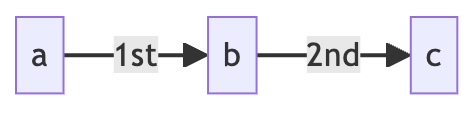
Moreover, such consistency is also applied to sequence diagrams.
sequenceDiagram
  a ->> b: 1st
  b ->> c: 2nd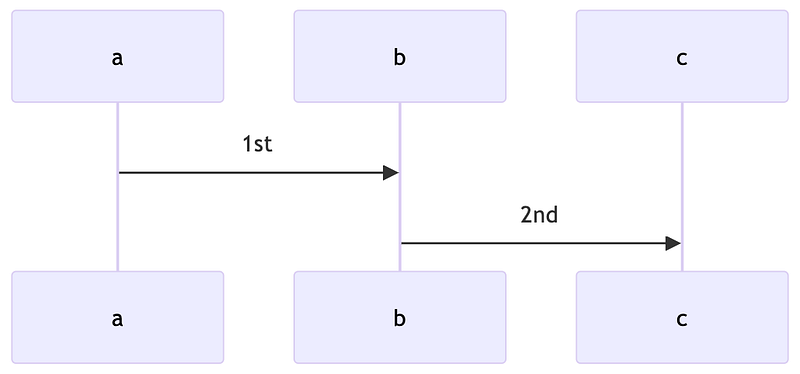
For software engineers, architecture diagrams and sequence diagrams are the most commonly used tools to show ideas and implementations. Mermaid makes it incredibly easy to draw diagrams, which saves a lot of time for engineers like me who have to draw a lot of diagrams every day.
Nevertheless, mermaid has its limitations.
The simplicity of the syntax makes it difficult to lay out a reasonable diagram. For example, when components and relationships become complex, mermaid drawings start to look worse than expected.
In the following example, when the component relationships become complex, a bunch of intersecting lines start to appear.
graph LR
  a --> b --> c
  a --> d --> e
  a --> f --> g --> h --> i
  h --> c & e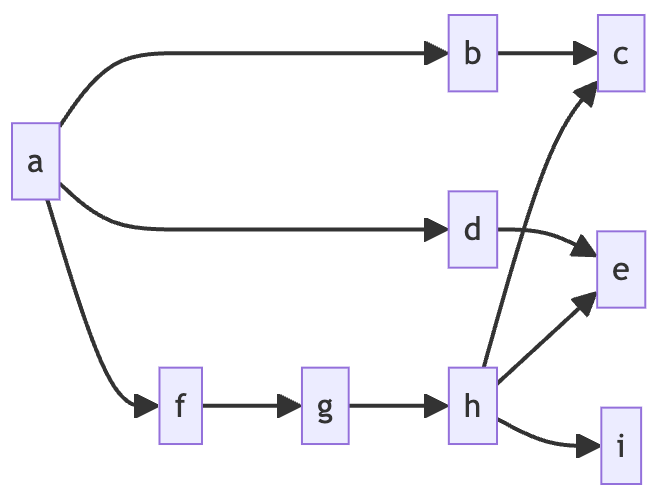
To avoid crossing lines, I have to manually adjust the order in which the components are declared to make the layout as clear as possible.
graph LR
  a --> b --> c
  a --> f --> g --> h --> i
  h --> c & e
  a --> d --> e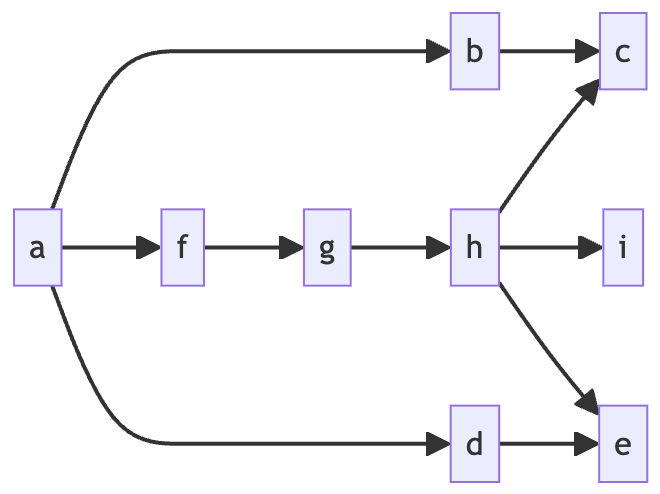
This undoubtedly adds a lot of work, especially when the diagram becomes complex, and the amount of fine-tuning can be incredible.
In addition, our architecture usually has subcomponents. This is also powerful enough in the mermaid, but it can be confusing when we use the notation of the subcomponents. In the following example, my outer db directly overrides the inner db.
graph LR
  subgraph Child
    b --> db[(DB1)]
  end
  db[(DB2)]
  a --> b & db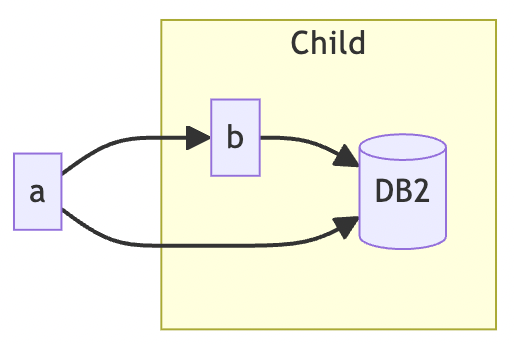
You might say, wouldn’t the problem be solved by changing the inner db to child_db? True, but this also introduces coupling, i.e. coupling between component names and layers. When the layer changes, the component name will be in an awkward position.
On the other hand, mermaid is cumbersome to set up styles and is not easy to use.
flowchart LR
    id1(Start)-->id2(Stop)
    style id1 fill:#f9f
    style id1 stroke:#333,stroke-width:4px
    style id1 stroke-width:4px
    style id2 fill:#bbf,stroke:#f66,stroke-width:2px,color:#fff,stroke-dasharray: 5 5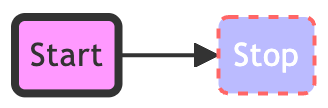
Declarations and styles are separate, and the attributes of a style can either be declared multiple times, as in id1, or chained together to make them super long, as in id2. Either way, it’s not suitable for complex architecture diagrams.
D2 comes to save the day
Recently, I’ve been gradually migrating my use of the new diagram as code solution, D2, which effectively solves the previous problems and has many more new features.
Let’s take a look at the first problem of intersecting lines. When we used D2, the results were clearly improved.
1 | vars: { |
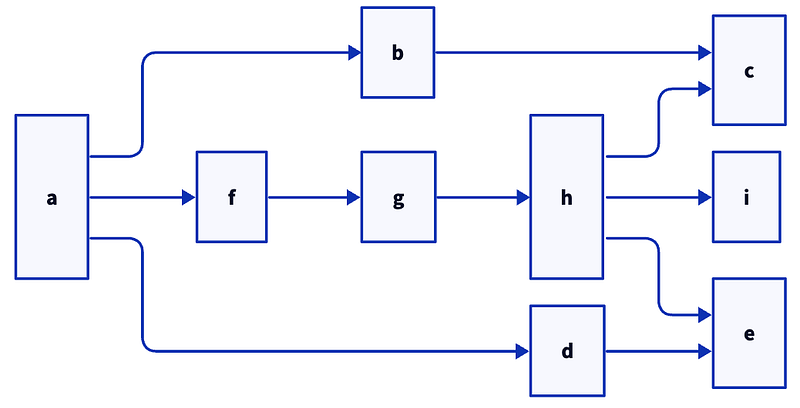
Thanks to D2’s built-in layout engine, ELK, we don’t need to manually adjust the layout order anymore, ELK will automatically do the rendering with the least staggered layout.
On the other hand, the problem of sub-component hierarchy is also well solved in D2.
1 | direction: right |
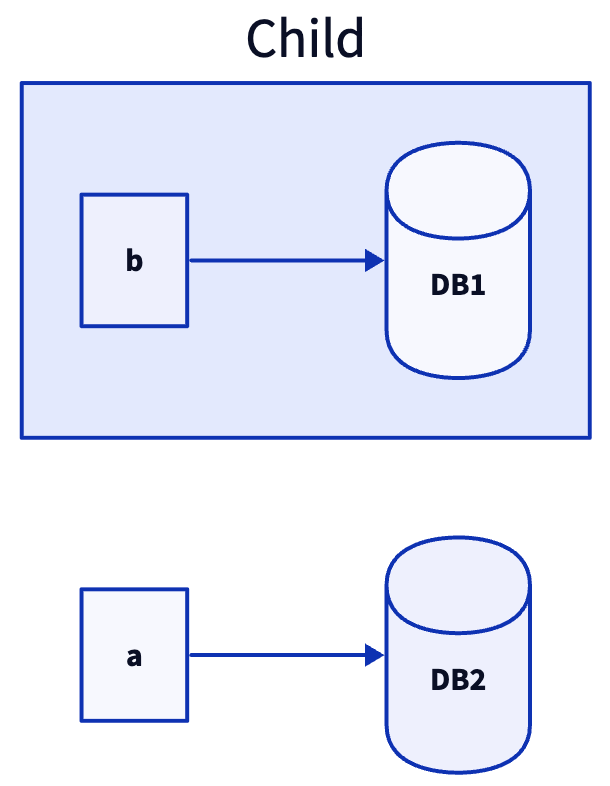
To use the inner components we need to call them explicitly. But we can also find that D2 is significantly more bulky than mermaid when it comes to changing the shape, and the need to set it up through metadata is far less delicious than some syntactic candies.
This is also the advantage of D2, when we want to modify the component styles, mermaid is very annoying.
However, in D2 this becomes very intuitive.
1 | direction: right |
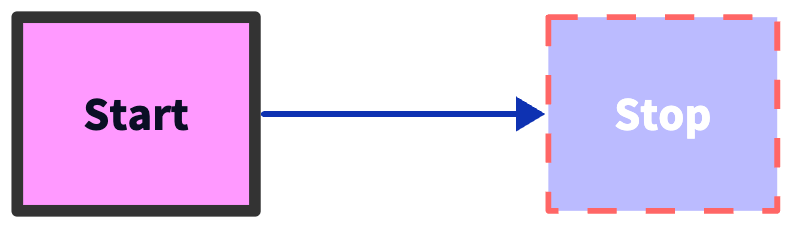
Besides the mermaid optimizations mentioned above, my personal favorite feature is Globs.
When I draw a data pipeline, I often declare all the databases first, and then add the relationships, this operation is completely revolutionized in D2.
1 | direction: right |
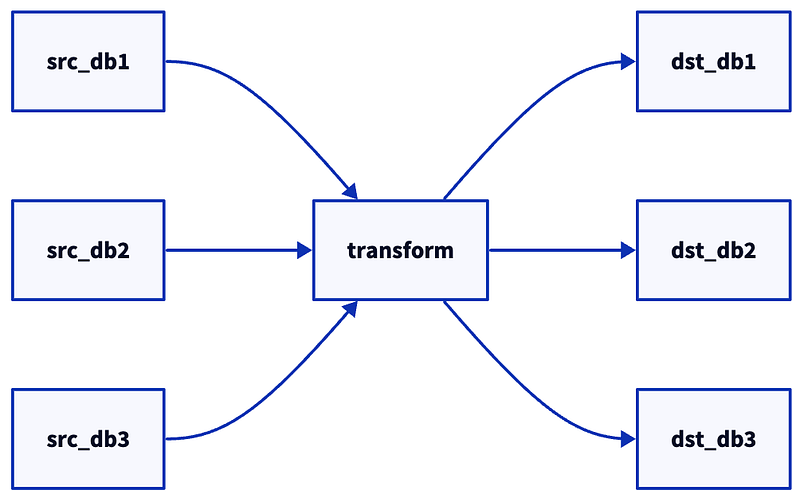
In mermaid, we have to connect the lines one by one, but in D2, we can solve the problem in one go by using the star sign.
Wrap Up
D2 can be seen as an evolution of mermaid, anything mermaid can do, D2 should be able to do, and more elegantly.
I have to say what drove me to switch from mermaid to D2 in the beginning is the first point of my article, I need to manually rearrange all kinds of declarations just to make the layout clear. This was done with the ELK layout engine built into D2.
But I found out the new version of mermaid can do the same thing, i.e. specify layout engine.
Let’s try again with the above example of a wonky mermaid.
1 | --- |
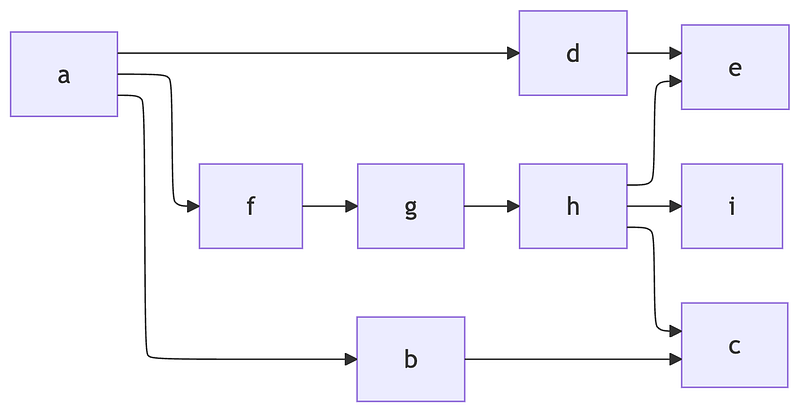
Aha! Turns out mermaid works too. Kinda awkward… now I’m not sure if I should even bother switching to D2. Just kidding, D2 has more advantages anyway.
I believe mermaid should continue to evolve, and maybe one day, all the flaws I listed above will no longer be flaws.
Thank you for being a part of the community
Before you go:
- Be sure to clap and follow the writer ️👏️️
- Follow us: X | LinkedIn | YouTube | Newsletter | Podcast | Differ | Twitch
- Check out CoFeed, the smart way to stay up-to-date with the latest in tech 🧪
- Start your own free AI-powered blog on Differ 🚀
- Join our content creators community on Discord 🧑🏻💻
- For more content, visit plainenglish.io + stackademic.com
Originally published on Medium