NotebookLM Saved My Life
NotebookLM Saved My Life
Generative AI combined with note-taking is a game-changer!

Recently generative AI is being used more and more widely, and some of the concepts are both interesting and practical, even revolutionizing traditional industries. One of them is Perplexity, which is gradually replacing traditional search engines, and the other is NotebookLM, which is dominating the notebook market.
Both products have a similar feature with generative AI to quickly summarize data and provide corresponding sources, but the difference is that Perplexity summarizes content from the Internet, while NotebookLM summarizes notes from self-managed records.
Regarding Perplexity, although I use it occasionally, we “ancient” techies are already trained to search for keywords very accurately, so most of the searching requirements are just an open and shut case, and the answers come out without any additional summarization.
Therefore, Perplexity doesn’t quite meet my needs, but NotebookLM is a different story. NotebookLM has completely changed my note-taking behavior.
I believe we can all agree that an architect is a role that requires a lot of reading, whether it’s about various paradigms, patterns, best practices, or even versions of databases and frameworks.
As architects, we constantly need to read a lot of diverse materials, technical documents, books and even technical blogs.
In this context, the importance of notes is particularly obvious. When we read, we must leave a record, otherwise it will be difficult to go back and find the source in the future. However, it’s a tedious task to describe the content accurately, and on the other hand, it’s also extremely hard to search for our own reading logs.
For example, the following is one of my notes in Markdown.
1 | ## Warehousing Design |
Can you guess what’s behind these links? Even I don’t remember, so how could you?
NotebookLM User Experience
To solve the above problem, we just need to rely on NotebookLM’s auto-summarize function.
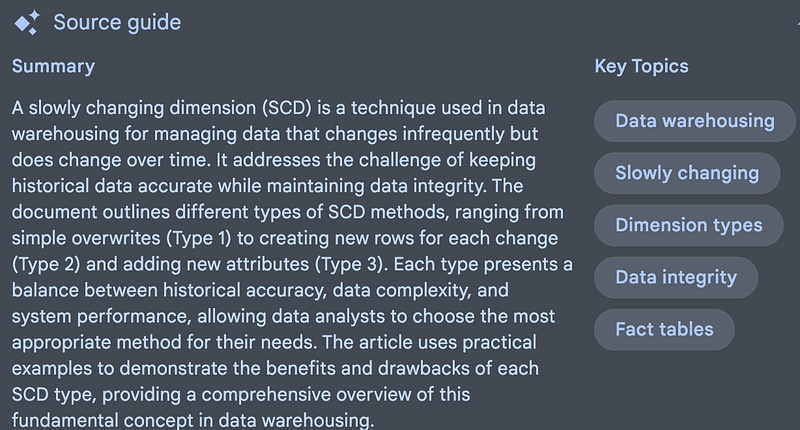
It not only summarizes, but even builds table of content indexes to jump directly to the corresponding chapter. In this way, all we need to do is to put all the material we have read into NotebookLM.
It is worth noting that now NotebookLM has a resource limit and can only store up to 50 sources, so the categorization of notes that we would have done in the past is still necessary even on NotebookLM.
In addition to the basic note summarization, NotebookLM’s search function is even more valuable.
Imagine a situation where we want to model a dimension table, but we find out that the table is not immutable but variable. What should we do? The answer is SCD, but if we forget the keyword SCD, how can we search for the corresponding source?
In NotebookLM, we just ask.
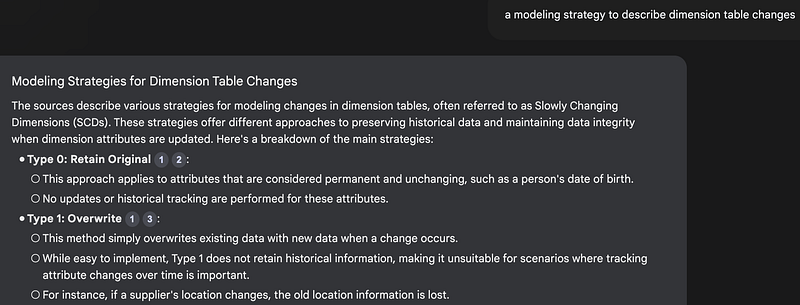
a modeling strategy to describe dimension table changes
Then NotebookLM will tell you about SCD, and even more, it will tell you that there are many forms of SCD with references.
There is another search situation, suppose we read a book a long time ago, when we suddenly need to write a report, how to quickly find out the contents of the book and compile it? Just upload all the books we have read into a notebook and ask questions.
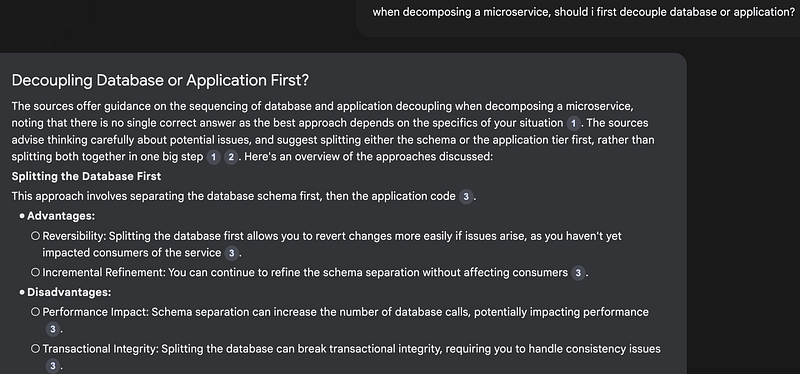
when decomposing a microservice, should i first decouple database or application?
Even if it’s a PDF, NotebookLM still reads it well and provides the references, and those references do jump to the corresponding positions in the book.
Furthermore, these helpful Q&A’s can be pinned to the notebook for quick tips.
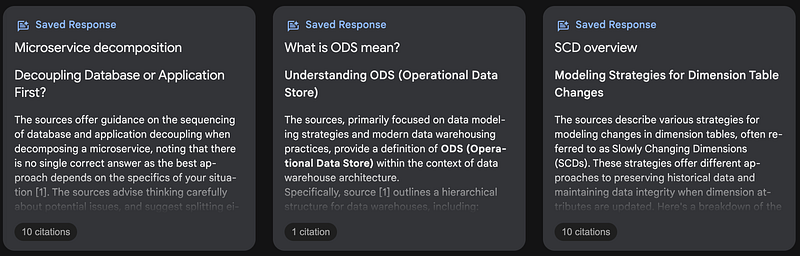
Through these interactions with knowledge, valuable content can be extracted more efficiently and many tedious routines can be eliminated.
I have to say, this has completely changed the way I work.
Wrap Up
Some of the “magic” of NotebookLM is listed above.
- Quickly summarize each source.
- Quickly locate a sentence or chapter.
- Ask and answer questions based on the material, and provide the references.
Just uploading materials to NotebookLM offers unprecedented freedom and peace of mind.
If you haven’t tried NotebookLM yet, give it a shot — you’ll definitely get hooked.
Originally published on Medium